ARC Raiders Account Linking: Confirm the Embark ID Before Moving Platforms
Progress belongs to the account relationship, not merely the device in front of you. Read the official linking restrictions and identify the intended Embark ID before creating another account or unlinking a platform.
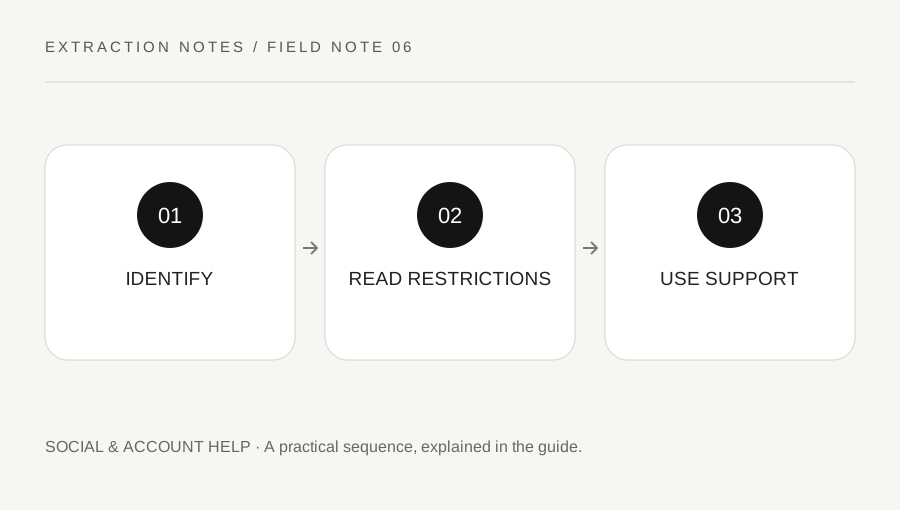
Original explanatory diagram. Examples illustrate a method or decision; they are not claims of personal testing.
Identify the account holding the progress
If you have played another Embark game or an earlier ARC Raiders test, you may already have an Embark ID. Use the official account-management guide to identify the linked platform used for the progress you intend to keep.
Do not create a new identity merely because you are on a new device and the first screen offers account creation. Read the supported existing-account path. A familiar display name alone is not enough to establish that two sessions use the same underlying account.
Keep credentials, login codes and account-session information private. This website cannot inspect your progress or merge accounts. An unsolicited helper asking for access is not required to explain the official linking process. Open the verified Embark service rather than following a message promising an instant transfer.
Read the restrictions before unlinking
Embark's current management guide describes restrictions involving the original platform and relinking. It also warns that moving a platform relationship to another Embark ID does not transfer the progress associated with the original ID. Read the complete current policy for your situation.
Treat unlinking as a consequential account action, not a harmless troubleshooting toggle. If the interface reports an existing association or a restriction, preserve the message and use official support rather than repeatedly creating and deleting links.
For a worked example, a Raider sees a different progression state on a second platform. They first confirm which ID holds the intended progress and inspect the connected-platform list. They do not unlink every account in the hope that the game will automatically combine them afterward.
Separate progress, platform purchases and display names
An account's progression, a platform-linked entitlement and the name shown to other players can have different rules. A display-name change is not an account merge. A purchase on one storefront should be checked through its current entitlement and linking policy rather than assumed to move with any new ID.
Keep receipts and ownership evidence private for the official process if requested. Do not post a full transaction record in a public forum. Describe the symptom and platform without exposing the details that could compromise account access.
If you are uncertain which account is original, stop before changing the relationship. The support team can ask for appropriate evidence through its secure route. A guess made at the unlink screen can be more disruptive than taking time to establish the actual account history.
Verify the intended state after a supported action
After completing an authorized link through the official interface, sign in as instructed and inspect the expected progression and content. Do not assume a success banner proves every entitlement has been verified. Keep any unresolved discrepancy specific.
If the result differs from the documented expectation, contact official support with the relevant platform, ID context and error. This page cannot restore data or determine ownership. Do not pay an unofficial recovery service or hand it remote access.
Finish by recording which account and platform path should be used next time. Keep the note secure and free of passwords. A careful linking process preserves the distinction between accessing the intended identity and creating a new one, reducing the chance that an ordinary device change becomes an avoidable progression or access problem.
A practical checklist
Choices are saved in this browser. Reset them here or clear this site’s browser storage.
Questions that come up
Will a new Embark ID automatically inherit old progress?
No. Read the official account relationship and transfer restrictions before creating or relinking accounts.
Is unlinking a universal fix?
No. It can affect access and does not automatically merge progress. Confirm the actual account first.
Can this site merge or restore accounts?
No. Use Embark’s official support and secure ownership process.
References & scope
Background references checked on 18 October 2026. Worked examples and diagrams are original teaching material.